Blocks, charts and finishing
Blocks, charts and finishing
Blocks
A block is a ready-made scene component, copied into your project so you own it.
manimvox add --list          # every block, with what it draws
manimvox add bar-ranking     # writes blocks/bar_ranking.py and prints the import line
The eleven blocks: venn, bar-ranking, line-by-level, log-scatter, bug-grid, token-panel, request-flow, sequence-diagram, code-diff, surface-plot (a 3D surface) and mesh-model (a 3D model from a file), the last two for an Episode3D. manimvox add never replaces a block already in the project; --force does.
Charts
manimvox.scenes turns frames from Pillow, Cairo, Matplotlib, Plotly or a 3D model into a clip you place and play like any mobject, in the theme's colours.
import matplotlib.pyplot as plt
from manimvox.scenes import from_matplotlib, mpl_style
with plt.rc_context(mpl_style()):
    fig, ax = plt.subplots(figsize=(9.6, 5.4)); ax.plot([1, 2, 3], [2, 5, 3])
clip = from_matplotlib(fig)   # then clip.move_to(...), self.add(clip), self.play(clip.play(), ...)
Install the matplotlib or plotly extra for them (see the extras table). Plotly exports through Kaleido, which needs Chrome; manimvox never downloads it for you.
Finishing
series.json may hold a post object that manimvox render applies after the audio check:
"post": {"music": "music/bed.mp3", "music_db": -16, "duck_db": -12, "captions": "burn", "end_card": ["Sources: FACTS.md"], "card_seconds": 3}
music is a file you provide; it loops under the narration and dips by duck_db while someone speaks. captions is "srt" (default) or "burn". end_card is up to 4 lines. manimvox join then makes one video of the rendered episodes: a title card, then each episode with its own end card.
Every block
bar-ranking
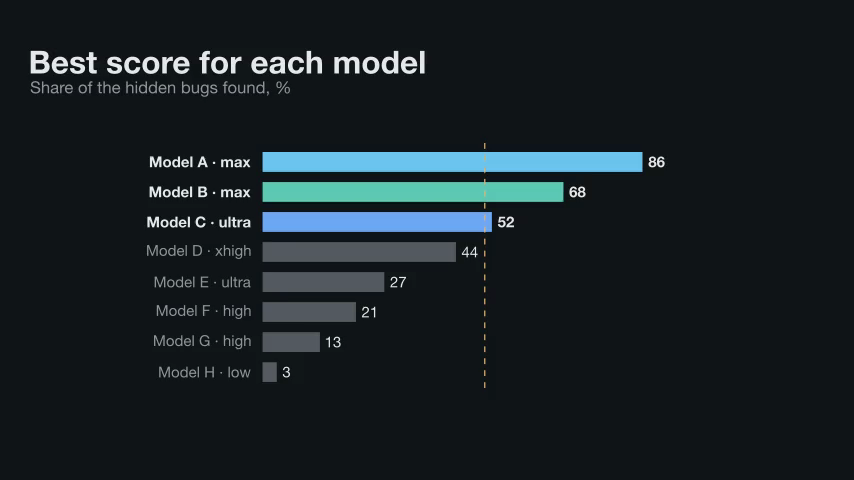
Horizontal bars ranked by value with labels and values; highlight the leaders, mark a threshold.
| Parameter | What it is |
|---|---|
rows |
list of (label, value), top to bottom |
max_value |
the value of a full-width bar; default the largest value |
width |
full bar width in scene units |
row_h |
row height in scene units |
colors |
row index → colour; other rows are muted; default |
size |
font size |
fmt |
format of the value text, e.g. "{:.1f}" or "{:,.0f}" |
label_w |
widest a label may be before it shrinks |
Returns: VGroup with .rows (each VGroup(label, bar, value)); grow(chart) reveals them; value_x(chart, v) gives a value's x
bug-grid
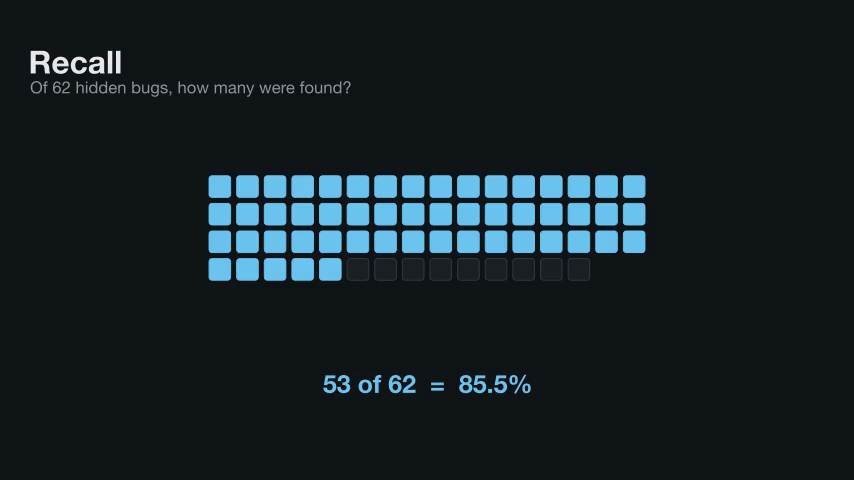
One square per item (bugs, tests, files) in a grid; light a slice of it as they are counted.
| Parameter | What it is |
|---|---|
n |
how many squares |
cols |
squares per row |
size |
square width in scene units |
gap |
space between squares |
fill |
fill colour before lighting; default PANEL |
stroke |
outline colour before lighting; default LINE |
Returns: VGroup of squares in reading order; light(grid[:k], colour) fills the first k
code-diff
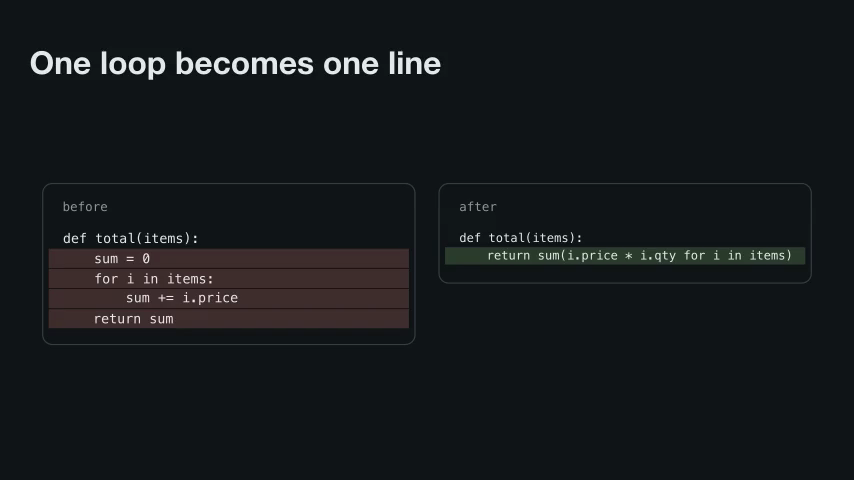
Code before and after a change, side by side, with removed and added lines banded in colour.
| Parameter | What it is |
|---|---|
before |
source text before the change |
after |
source text after the change |
title_before |
label of the left panel |
title_after |
label of the right panel |
size |
font size of the code |
w |
width of each panel in scene units |
Returns: VGroup with .left and .right panels (.bg, .title, .rows) and .removed and .added bands
line-by-level
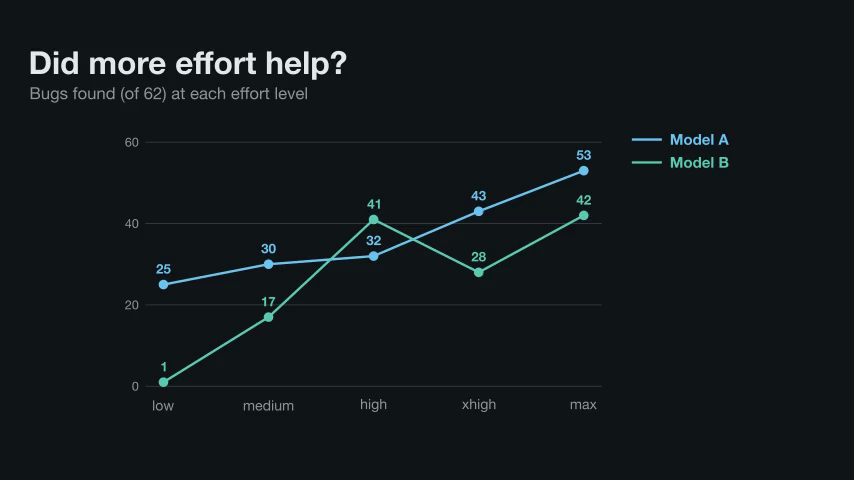
A line chart over named steps (effort levels, versions, weeks), one labelled line per series.
| Parameter | What it is |
|---|---|
levels |
names of the x steps, left to right |
series |
list of (name, values, colour), one value per level |
y_max |
top of the y axis |
y_ticks |
values that get a gridline; default quarters of y_max |
width |
plot width in scene units |
height |
plot height in scene units |
size |
font size |
Returns: VGroup with .grid, .xlabels, .lines (VGroup(line, dots, labels) per series), .legend; point(chart, i, v) gives a position
log-scatter
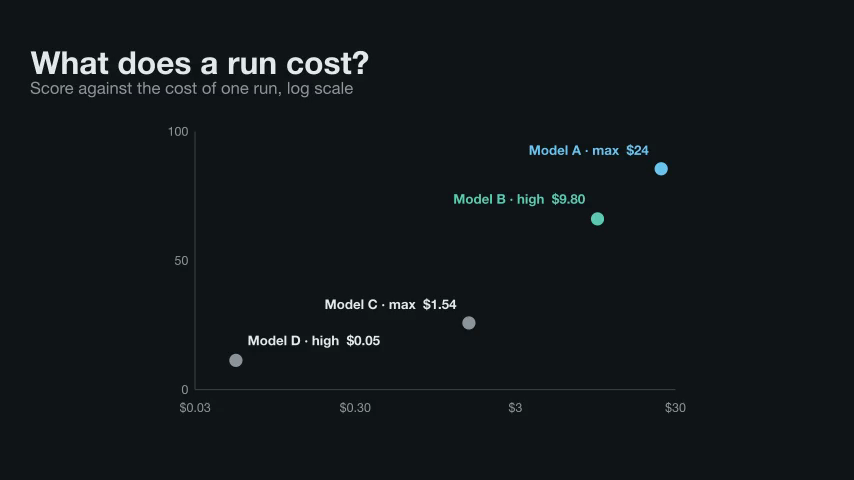
A labelled scatter chart on a log-scale x axis (cost, size, time) against a linear y axis.
| Parameter | What it is |
|---|---|
points |
list of (label, x, y, colour), x above 0 |
x_range |
(low, high) of the log x axis |
y_range |
(low, high) of the y axis |
x_ticks |
list of (value, text) under the x axis |
y_ticks |
list of (value, text) left of the y axis |
width |
plot width in scene units |
height |
plot height in scene units |
size |
font size |
Returns: VGroup with .axes and .marks (VGroup(dot, label) per point); place(chart, x, y) gives a position
mesh-model
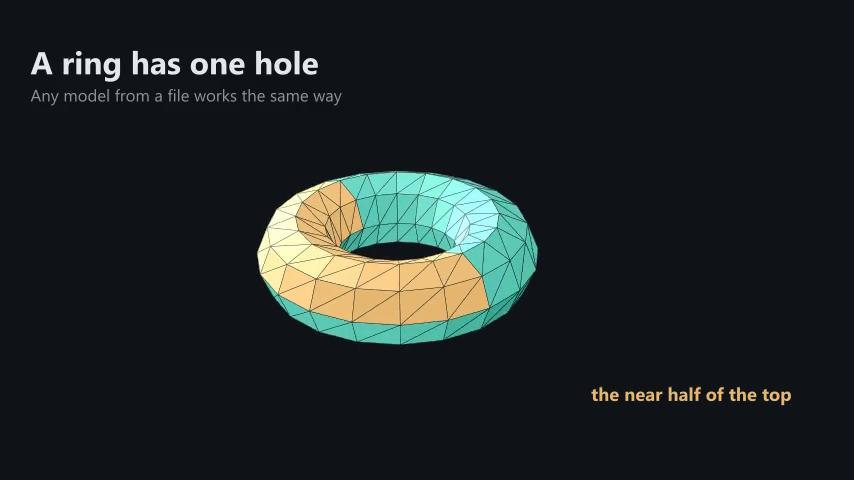
A 3D model from a glTF, OBJ or STL file (Blender exports glTF) as shaded faces the 3D camera orbits. Use in an Episode3D.
| Parameter | What it is |
|---|---|
source |
a .glb, .gltf, .obj, .stl or .ply file, or (vertices, faces) arrays |
size |
the model's largest side in scene units |
color |
theme colour for faces the model gives no colour |
max_faces |
simplify to at most this many triangles, 4 to 5000; fewer renders faster |
up |
the source's up axis: "y" for glTF and OBJ, "z" for STL and CAD |
wire |
draw face edges in the background colour, for a low-poly look |
Returns: VGroup of faces with .mesh, .parts and .centres; mesh_part(model, name, inside) picks the faces of one part
request-flow
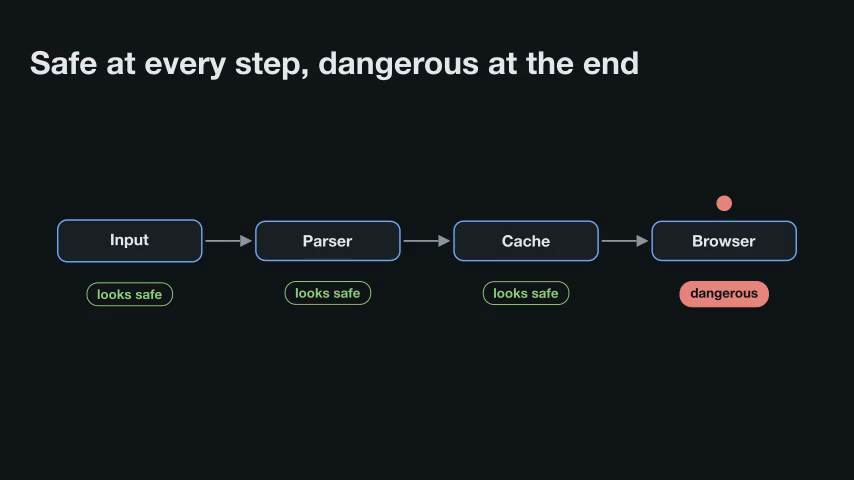
A value travelling through a chain of stages, boxes joined by arrows, with a token that hops along.
| Parameter | What it is |
|---|---|
stages |
box labels, left to right |
w |
box width in scene units |
color |
box outline colour |
gap |
space between boxes |
size |
font size |
token_color |
the token's starting colour |
Returns: VGroup with .nodes, .arrows, .token; hop(flow, i, colour) moves the token above stage i
sequence-diagram
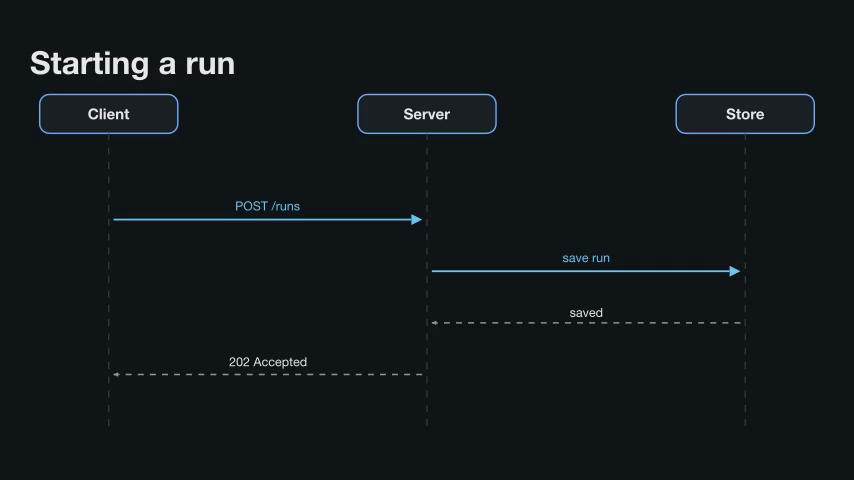
Actors as lifelines and the messages between them in order, replies dashed: who calls whom.
| Parameter | What it is |
|---|---|
actors |
column names, left to right |
messages |
list of (from, to, label) or (from, to, label, "reply") |
top |
y of the actor boxes |
bottom |
y where the lifelines end |
width |
distance from the first actor to the last |
colors |
one colour per actor; default BLUE |
size |
font size of message labels |
Returns: VGroup with .lifelines and .messages (in order)
surface-plot
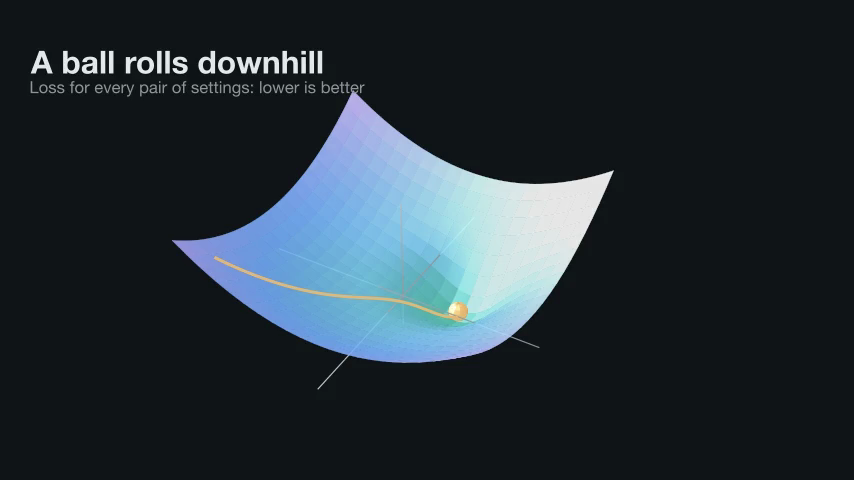
A 3D surface z = f(x, y) over axes, shaded by height: a loss landscape, a density, a field. Use in an Episode3D.
| Parameter | What it is |
|---|---|
f |
the height function f(x, y), finite over the ranges |
x_range |
(low, high) of x |
y_range |
(low, high) of y |
z_range |
(low, high) of the z axis; default fits the surface |
size |
width and depth of the axes in scene units |
height |
height of the z axis in scene units |
colors |
theme colours shading the surface from low to high |
resolution |
patches along each side, 4 to 64; more is smoother and slower |
Returns: VGroup with .axes, .surface and .f; surface_point(plot, x, y), surface_path(plot, points) and downhill(plot, x, y) place things on it
token-panel
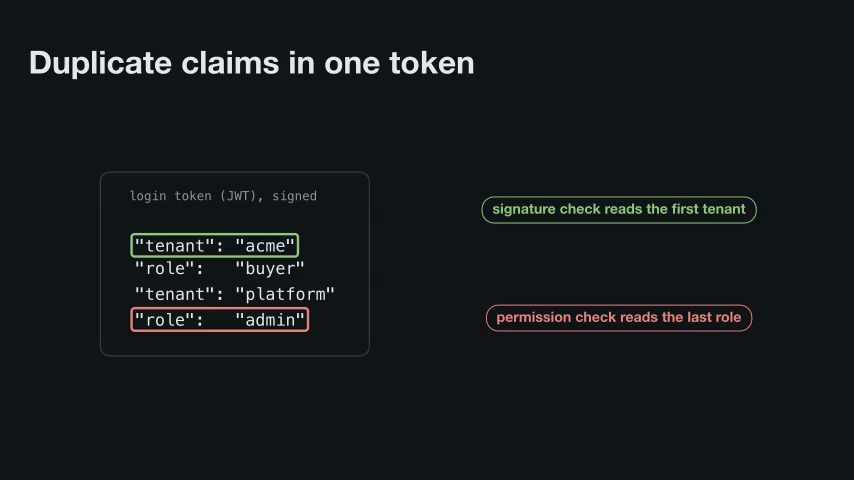
A monospace panel of short lines (token fields, config, a request); box rows as they are named.
| Parameter | What it is |
|---|---|
lines |
the rows, as strings |
title |
small label in the top-left corner |
size |
font size of the rows |
pad |
space inside the panel, in scene units |
Returns: VGroup with .bg, .title, .rows; mark(panel, i, j, colour) boxes rows i..j
venn
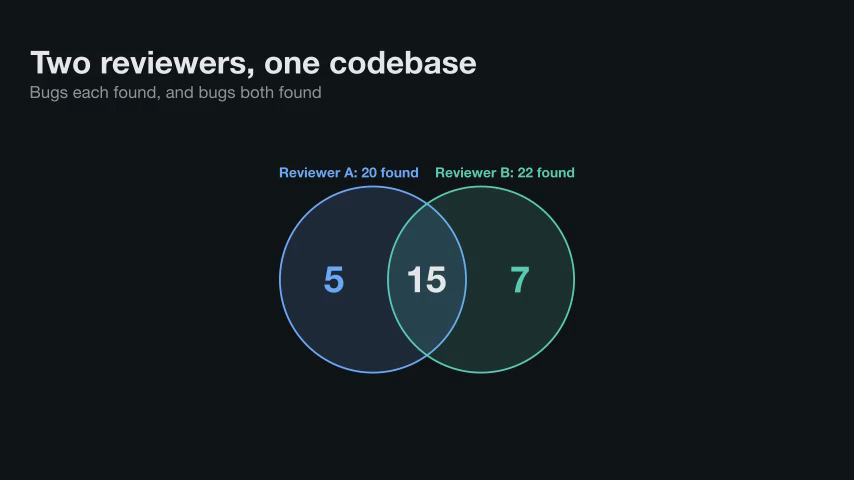
Two overlapping circles with a count in each region: only A, both, only B.
| Parameter | What it is |
|---|---|
left |
label above the left circle |
right |
label above the right circle |
counts |
(only left, both, only right) |
colors |
(left colour, right colour), theme colours; default (BLUE, TEAL) |
r |
circle radius in scene units |
d |
distance between the centres |
size |
font size of the counts |
Returns: VGroup with .A .B (circles), .la .lb (labels), .ta .tm .tb (counts) to reveal one by one